
If a page is not in Google’s index, it cannot show up in search results, no matter how good it is. Google says so directly. The fix starts with diagnosis: open the URL Inspection tool in Google Search Console, read the reason Google gives, correct the cause (a blocking rule, a duplicate, thin content, a broken redirect), then ask Google to re-check. This guide walks through that process in order, and tells you which ‘not indexed’ warnings you can safely ignore.
TL;DR
- Check one page with the URL Inspection tool, and the whole site with the Page indexing report, both in Google Search Console.
- The usual technical causes are robots.txt blocks, noindex tags, password protection, duplicates and redirect mistakes. Quality problems come next.
- Fix every instance of an issue before you click ‘Validate fix’. Validation usually takes about two weeks, sometimes longer.
- Some not-indexed pages are fine. Duplicates and pages you blocked on purpose need no rescue.
- Indexed does not mean ranked. Indexing gets you into the game, and content, authority and entity signals decide where you place.
Table of Contents
- Crawling and indexing are different problems
- How to check whether a page is indexed
- What the common statuses mean
- The most common causes and how to fix them
- What to leave alone
- How to fix the issue and verify Google processed it
- Indexing after a redesign or URL change
- Indexed does not mean ranked
- Our perspective on indexing
- Get a second pair of eyes on your index
- FAQ
- Sources
Crawling and indexing are different problems
Most confusion about indexing comes from mixing up two stages. Google Search works in three phases: crawling, where Googlebot downloads text, images and video from a page; indexing, where Google analyzes that material and stores it; and serving, where it returns results for a query.
A crawling issue means Googlebot cannot reach or fetch the page. An indexing issue means Google fetched it, or knows it exists, and still chose not to store it. The two need different fixes. If your server times out or a robots.txt rule stops the bot at the door, adding more content will not help. If Google crawled the page and found it thin or duplicated, unblocking it again will not help either.
There is also a third case that surprises people: a page can be technically perfect and still be left out. Indexing is a decision Google makes, not a right that comes with a clean site. That is why a diagnosis has to look at both the technical layer and the value of the page itself.
How to check whether a page is indexed
Start small, then go wide.
Quick check with a site: search
For a single page, turn off SafeSearch and search Google for site: followed by the full page URL. Google recommends this as a first check for a page that seems to be missing. For smaller sites of a few hundred pages or fewer, Google notes that searching for your URLs is a workable way to see what is indexed.
URL Inspection tool
Paste the URL into the URL Inspection tool in Search Console. It tells you whether the page is in the index and, if not, why Google could not or would not index it. You can look at the indexed version or test the live URL, which is useful right after you change something.
Page indexing report
The Page indexing report gives you the site-wide view, while URL Inspection digs into single pages. Use the report to spot patterns, such as 300 product pages all sitting under the same status, and use the inspector to confirm the cause on a sample URL.
One warning from Google itself: the report can be confusing if you do not understand how Search works. That is the reason for the previous section. Read the status as a symptom, not a verdict.
What the common statuses mean
The labels in Search Console sound alarming. Most have a plain explanation.
| Status | What it means | Usual response |
|---|---|---|
| Discovered - currently not indexed | Google found the URL but has not crawled it yet, because it rescheduled the crawl to avoid overloading the site | Improve internal links and server speed, then wait |
| Crawled - currently not indexed | Google crawled the page and decided not to index it | Review content quality, add internal links, make the page distinct |
| Excluded by ‘noindex’ tag | The page tells Google to stay out | Remove the tag if the exclusion was a mistake |
| Blocked by robots.txt | A crawl rule stops Googlebot | Edit the rule if the page should be found |
| Duplicate, Google chose different canonical | Google treats another URL as the main version | Usually leave it, or consolidate the pages |
| Page with redirect | The URL forwards somewhere else | Normally nothing, as it is working as intended |
Two of these deserve extra attention because they are the ones local businesses meet most.
Discovered - currently not indexed
Google knows the page exists but has not fetched it. On a small site this often resolves itself. On a larger one, it usually points to weak internal linking, a slow server or too many low-value URLs competing for crawl time. Link to the page from relevant, already-indexed pages, and include it in your XML sitemap.
Crawled - currently not indexed
This is the harder one. Google looked and passed. Lofty’s guidance is to check the page content and add internal links to strengthen the page’s value, and that is sound advice. Ask honestly: does this page say something the rest of your site does not? A fourth near-identical service page for a neighboring suburb rarely earns a place in the index.
The most common causes and how to fix them
Google’s own help page lists the usual suspects: robots.txt blocks, noindex directives, password protection and other technical problems. Beyond those, Google may skip a page when its content quality is low, when it duplicates another canonical page, or when the site design makes indexing difficult. Work through them in this order, from cheapest to check to most involved.
1. A robots.txt rule blocks the page
Open yourdomain.com/robots.txt and look for a Disallow line covering the URL’s folder. Staging rules that were never removed after launch are a classic. Remove or narrow the rule, then re-test the URL.
2. A noindex directive is in place
Check the page source for a robots meta tag with noindex, and the HTTP headers for an X-Robots-Tag. SEO plugins and page builders sometimes apply noindex to whole templates, such as all location pages, with one checkbox. Inspect a live URL after you change it.
3. The page sits behind a login or password
Googlebot cannot sign in. Members-only areas and password-protected staging copies will never be indexed, which is correct for those pages and a problem only if you password-protected something public by accident.
4. The page is a duplicate
When several URLs show the same content, Google picks one canonical. Typical sources are www and non-www versions, http and https, tracking parameters, and city pages that swap only the city name. Use a clear rel=canonical, consolidate pages that truly overlap, and rewrite the ones that deserve to stand alone.
5. The content is thin or low value
A page with two generic paragraphs gives Google little reason to store it. Add what only you can offer: real pricing context, staff, photos of your own work, local specifics, answers to the questions customers actually ask. Then link to it from pages that already get traffic.
6. Redirects and moves went wrong
If pages were moved or restructured, use 301 redirects to send users and crawlers to the new location. Chains, loops and redirects that land on irrelevant pages all cause indexing loss. The next section covers this in more depth.
7. A manual action applies
In rare cases the cause is a penalty. Manual actions can lower a page’s ranking or remove it from results, and the Manual Actions report in Search Console will show if one exists. If that report is empty, you can rule this out.
8. The page is simply new
Patience is a legitimate fix. For new sites or pages, indexing can take from a day or two to a few weeks. Submit a sitemap, request indexing for the key URL, and avoid re-submitting daily.
What to leave alone
Not every entry in the report is a problem. Pages can be left alone when the reason is legitimate, such as a robots.txt rule you intended or a duplicate of a page that is indexed. The same page notes that, generally, only issues with Source ‘Website’ are ones you can fix. If the source is ‘Google’, you probably cannot get that page indexed, likely for a good reason.
A practical filter before you spend time on any URL:
- Would you want a customer to land on this page from Google? If not (thank-you pages, internal search results, filtered category views), leave it out.
- Is a better version of it already indexed? If so, you are done.
- Does it earn leads or support a page that does? If yes, it is worth fixing.
A tidy index of 80 strong pages beats an index of 400 where most are filler. Pruning and consolidating often helps more than forcing every URL in.
How to fix the issue and verify Google processed it
The fix itself follows a clear path.
- Identify the exact reason in URL Inspection or the Page indexing report.
- Fix the underlying technical issue, whether that is a tag, a rule, a redirect or the content.
- Test the live URL in URL Inspection to confirm Google can now access it.
- Click ‘Request indexing’ for important single pages, or use ‘Validate fix’ in the Page indexing report for a whole group of URLs.
- Monitor the validation. It typically takes up to about two weeks, but can take longer.
One detail trips people up. When you request validation, fix all instances of the issue first, because validation stops if Google finds a single remaining instance. If your template adds noindex to 40 pages and you fix 39, the whole validation fails. Fix at the template level, not page by page.
If validation passes and the page still does not appear, check again after a few weeks. Indexing after a fix still depends on whether Google judges the page worth storing.
Indexing after a redesign or URL change
Site migrations are the single biggest source of sudden indexing drops we see. New URL structures, a changed CMS, or a platform switch can strand old pages, create redirect chains or leave a staging noindex live on the production site.
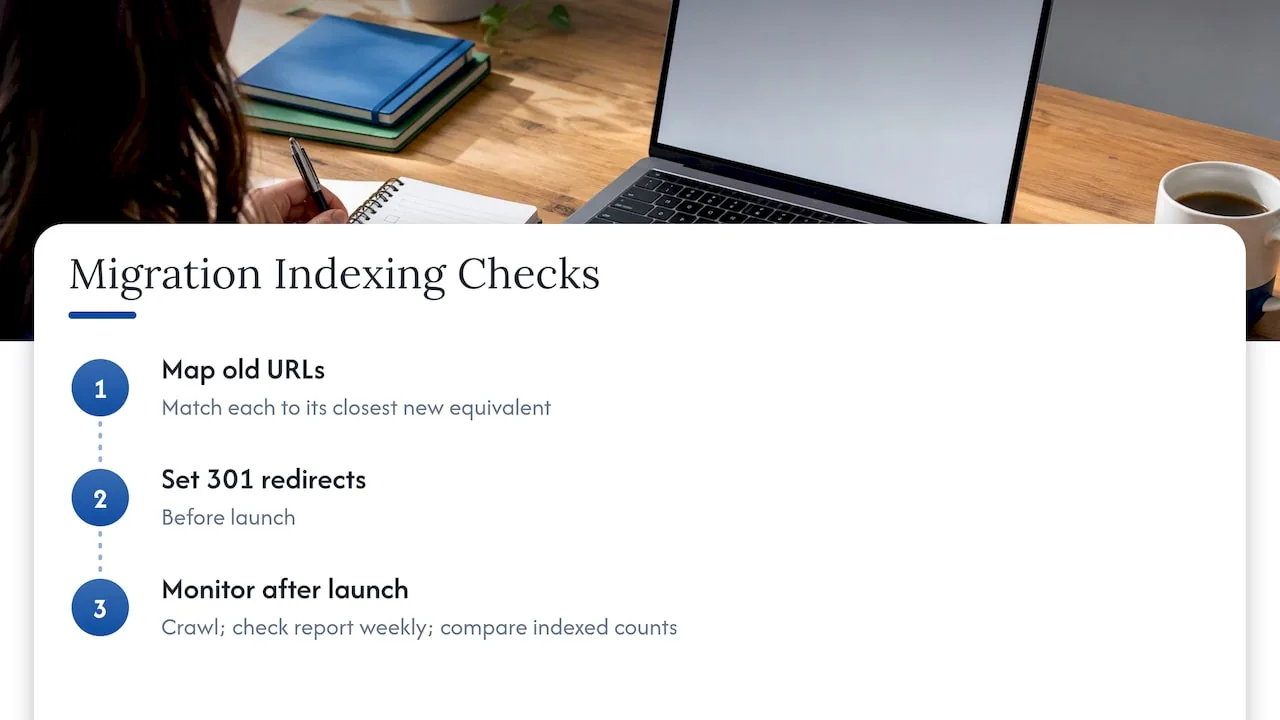
Before launch, map every old URL to its closest new equivalent and set 301 redirects. After launch, crawl the site, check the Page indexing report weekly and compare indexed counts against the old site. If you are rebuilding your site, our guide to keeping rankings with a redirect map covers the process step by step.
Parameters and generated links matter too. If your site, or tools like QR codes on printed materials, point to URLs that change or carry parameters, it helps to understand how dynamic URLs work, so that the version you want indexed is the one you link to consistently.
Indexed does not mean ranked
Getting a page into the index is a gate, not a prize. Being indexed does not guarantee that the page appears in search results. After indexing, ranking depends on relevance, authority, content quality and, for local businesses, proximity and Google Business Profile signals.
For a dentist, a law firm or a roofer, that means the indexed page still has to say clearly who you are, where you work and what you do, in a way search engines and AI answer tools can read. That is the entity side of SEO, and it is where many indexed-but-invisible sites fall short. If you want the full picture of how the layers fit together, see how SEO, GEO, AEO and AIO work together, or run through our local SEO audit checklist.
Our perspective on indexing
We treat indexing as the foundation of the whole stack, not a one-off technical chore. A page that Google has not stored cannot be cited in a local pack, quoted in an AI answer or found by a patient or client searching at 9 p.m.
The mistake we see most often is chasing the symptom. Owners hit ‘Request indexing’ again and again on pages that Google has already judged thin or duplicate. We start instead with the architecture: one clear URL for each service and location, internal links that show which pages matter, and content that defines the business as a distinct entity, with who you are, what you do and where.
When the structure is clean, indexing problems get rarer and easier to spot. Our technical audits look at crawl paths, canonicals, redirects and template-level directives together, because one misplaced tag on a template can hide an entire set of location pages.
We also think of indexing as the entry ticket for AI-driven search. Answer engines draw on pages that are accessible and clearly structured, which is why we combine technical SEO with GEO and AEO rather than selling them apart.
NSYGHT
Get a second pair of eyes on your index
If you have worked through Search Console and still cannot tell why key pages are missing, that is the point where an audit saves time. We review crawl access, canonicals, redirects, templates and content value, then give you a prioritized fix list. For ongoing work, our SEO plans keep the technical foundation and your Google Business Profile in shape month to month. See our local SEO services and packages.

Building a new site? Our SEO-native website design puts clean URLs, internal linking and indexable templates in place from day one.
FAQ
How long does it take for Google to index a new page?
Google says it can take anywhere from a day or two to a few weeks, depending on various factors. A sitemap, internal links from indexed pages and a request in URL Inspection all help Google find the page sooner. If a page is still missing after several weeks, inspect it for a block or a quality issue.
Should I keep clicking ‘Request indexing’?
No. One request after a real fix is enough. Repeating it does not speed anything up, and it does not change Google’s view of a page’s quality. If a page stays out, look at the reason shown in URL Inspection and improve the page.
What is the difference between ‘Discovered’ and ‘Crawled’ not indexed?
‘Discovered - currently not indexed’ means Google found the URL but has not crawled it yet. ‘Crawled - currently not indexed’ means Google fetched the page and did not store it. The first is mostly about crawl scheduling and internal links. The second is mostly about the page’s value.
Why was my page indexed but not showing up for searches?
Indexing only makes a page eligible to appear. Ranking then depends on relevance, authority and, for local queries, your Google Business Profile and proximity. Check the page’s content against what searchers want, then strengthen internal links and local signals.
Can a penalty keep my pages out of Google?
It can, though it is uncommon. A manual action can lower a page’s ranking or remove it entirely. Open the Manual Actions report in Search Console. If it shows nothing, look for technical blocks and content quality first.
Sources
- URL Inspection tool - Search Console Help
- Has Google found all your pages? - Search Console Help
- Why is my page missing from Google Search? - Search Console Help
- Page indexing report - Search Console Help
- Top tasks for Search Console users - Search Console Help
- How Google Search works - Google Search Central
- Google Search Console: Understanding Index Coverage Issues