
Organization schema is structured data, usually JSON-LD, that tells search engines who your business is: its name, logo, website, contact details and official profiles. Google says adding it to your home page helps it understand your organization’s administrative details and tell you apart from similarly named businesses. If you have a physical location that customers visit or that serves a service area, you will usually want a more specific type, LocalBusiness or one of its subtypes, which we cover below.
TL;DR
- Organization schema describes your business as an entity: name, URL, logo, contact info and the profiles that confirm you are who you say you are.
- Put it on your home page (or a dedicated About page), not copy-pasted onto every URL.
- Local service businesses should use LocalBusiness or a specific subtype such as Dentist or LegalService, one block per location.
- Everything in the markup must match what visitors see on the page and what your Google Business Profile says.
- Schema helps search engines and AI tools interpret you correctly. It is not a ranking switch.
Table of Contents
- What organization schema actually does
- The properties worth filling in
- A working JSON-LD example
- Organization or LocalBusiness: which one fits you
- Where to place it (and where not to)
- Multi-location businesses: one entity per location
- Our perspective: schema is the entity layer, not the strategy
- Rules that keep your markup out of trouble
- Test it before and after you publish
- Common mistakes we see
- Getting it done for you
- FAQ
- Sources
What organization schema actually does
Search engines do not read your site the way a person does. They match strings of text to entities they already know about. When your business is called “Summit Roofing” and four other companies share that name in different states, the engine needs help deciding which one you are.
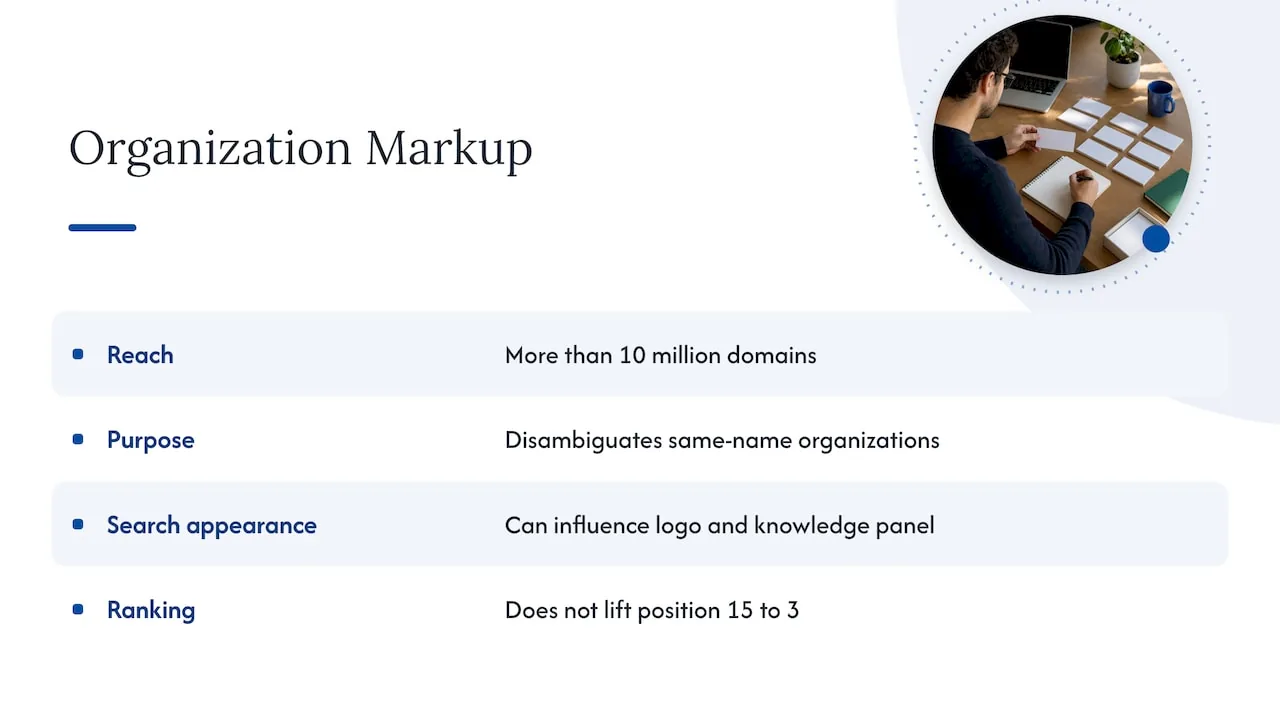
Organization markup is that help. Schema.org defines Organization as a type used across more than 10 million domains, and Google reads a handful of its properties directly. According to Google’s documentation, some properties work behind the scenes to disambiguate you from other organizations (identifiers like iso6523 and naics), while others can influence visual elements, such as which logo appears in search results and your knowledge panel.
That is the realistic promise. Disambiguation and cleaner presentation. It will not lift a page from position 15 to position 3 on its own, and anyone who tells you otherwise is selling something. What it does is remove a source of confusion that can quietly hold a brand back, and that matters more now that AI-driven answers pull from entities rather than just pages.
The properties worth filling in
Google’s Organization documentation lists no strictly required properties, but a complete block for a local company should include these:
| Property | What to put in it | Why it matters |
|---|---|---|
name |
Your legal or commonly used business name, spelled the same everywhere | Anchors the entity |
url |
Your home page URL | Ties the entity to the site |
logo |
A crawlable image file of your logo | Can influence the logo shown in results and knowledge panels |
sameAs |
Links to your official profiles: Google Business Profile, LinkedIn, Facebook, industry directories | Connects the dots between your site and your other presences |
description |
One or two plain sentences about what you do | Gives machines a clean summary |
telephone, email |
Your public contact details | Must match your site and profiles |
address |
Your business address | Must match the visible page |
naics, iso6523 |
Industry or organization identifiers, if you have them | Used for disambiguation |
Do not stuff in properties you cannot support. An empty or invented field is worse than a missing one.
A working JSON-LD example
Here is a simple Organization block for a fictional company. Swap in your real details, and keep every value identical to what appears on your site.
<script type="application/ld+json">
{
  "@context": "https://schema.org",
  "@type": "Organization",
  "name": "Summit Roofing Co.",
  "url": "https://www.example.com",
  "logo": "https://www.example.com/images/logo.png",
  "description": "Residential roof repair and replacement in Travis County.",
  "telephone": "+1-512-555-0100",
  "email": "hello@example.com",
  "address": {
    "@type": "PostalAddress",
    "streetAddress": "100 Main St",
    "addressLocality": "Austin",
    "addressRegion": "TX",
    "postalCode": "78701",
    "addressCountry": "US"
  },
  "sameAs": [
    "https://www.linkedin.com/company/example",
    "https://www.facebook.com/example"
  ]
}
</script>
The script sits in the page’s HTML, in the head or body. Nothing about it is visible to visitors, which is exactly why the consistency rules below matter.
Organization or LocalBusiness: which one fits you
This is where most local owners go wrong. Organization is the general parent type. LocalBusiness is a subtype meant for a particular physical business or a branch of a larger organization, such as a medical practice or a branch of a bank. It inherits everything from Organization and adds location-specific fields.
Google’s local business documentation says that when people search for businesses on Search or Maps, results may show a prominent knowledge panel with business details. LocalBusiness markup is how you supply those details. Name and address are the core properties, and recommended additions such as opening hours, geo-coordinates and price range add detail.
A practical rule:
- No public location, or you serve customers entirely remotely: Organization is the right fit.
- You have a storefront, office, clinic or service-area base: use LocalBusiness, or better, a subtype.
- You are a brand with several locations: use both, as described below.
Use the most specific subtype
Schema.org offers subtypes that say more about what you do. A dental practice can use Dentist, a law firm LegalService (defined as a business providing legally oriented services, advice and representation), and an accountant AccountingService. Roofers and many contractors fit HomeAndConstructionBusiness or one of its children. The more exact the type, the less a search engine has to guess. If you run a dental or law practice, our pages on SEO for dental practices and SEO for law firms show how this fits into a wider local strategy.
The catch: pick a subtype that truly describes you. Do not choose a category because it sounds more valuable.
A quick walkthrough of the NAP problem
Name, address and phone (NAP) mismatches are the most common reason schema does more harm than good. If your markup says “Suite 200” and your Google Business Profile says “Ste. 2”, you have created two competing versions of the same fact. One practical walkthrough of matching your local business schema to your listings covers how to catch these differences before they spread.
Where to place it (and where not to)
Many site owners paste the same Organization block on every page. Google’s guidance is to add it to your home page, and an About page is a sensible second home when you have one. Repeating it sitewide creates maintenance work and a real risk: change your phone number once, forget one template, and now your site contradicts itself.
Some SEO plugins output Organization data globally by default. That can be fine if the plugin keeps it consistent and you review what it prints, but check your page source rather than assuming.
A simple placement map for a single-location company:
- Home page: Organization or LocalBusiness block with full details.
- Contact or location page: LocalBusiness block with address, hours and a map.
- Service pages: Service-related markup if appropriate, referencing your business by name rather than repeating its full block.
- Blog posts: Article markup, no organization block needed.
Multi-location businesses: one entity per location
Franchises and multi-branch practices need a different approach. Google’s local business guidance treats a LocalBusiness as a particular physical business or branch, so each location deserves its own block on its own location page, with its own address, phone number and hours. A single sitewide Organization block cannot tell search engines which city or service area each branch serves.
A structure that works:
- Home page: Organization block for the brand, with
sameAslinks to brand-level profiles. - Each location page: a LocalBusiness (or subtype) block with that branch’s NAP, hours and geo-coordinates, plus a
parentOrganizationreference back to the brand. - Consistency: every location’s data matches that location’s Google Business Profile exactly.
This is also where the entity picture gets stronger. A brand with clear, granular location entities looks like a set of recognized providers rather than one blurry name. We go deeper on the operational side in our guide to multi-location SEO for brands.
Our perspective: schema is the entity layer, not the strategy
We build SEO around entities: making it unambiguous who a business is, where it operates and what it is an authority on. Schema is one of the cleanest ways to state that in a form machines can read, which is why it sits in the technical foundation of every site we work on. You can see how we connect it to the rest of our approach on the NSYGHT stack, where SEO, GEO, AEO and AIO work together.
But we are blunt with clients about the limits. Schema on a thin site with a neglected Google Business Profile will not rescue it. The order of operations we trust is:
- Get the facts right in one place: name, address, phone, hours, categories.
- Make the Google Business Profile, the website and key directories say exactly the same thing.
- Add structured data that mirrors those facts.
- Build the content and authority that give the entity something to be known for.
Most local businesses we see skip step 2 and jump to step 3, then wonder why nothing changes. If you want to see where you stand before touching code, a GBP-first local SEO audit is the place to start.
, NSYGHT
Rules that keep your markup out of trouble
Google’s general structured data guidelines say structured data must not violate Google’s content policies, and that markup is eligible for rich results only when it follows the rules. In practice, that means:
- Mark up what people can see. Do not describe a phone number, review or address in schema that does not appear on the page.
- Do not add markup to empty or hidden pages just to hold it.
- Keep it consistent off-site. Your schema, your Google Business Profile and your directory listings should agree. Conflicting information weakens the signal you are trying to send.
- Update it when facts change. New phone number, new suite, new hours: change the markup the same day you change the page.
Test it before and after you publish
- Build your JSON-LD block, or generate it with a plugin.
- Run the page through Google’s Rich Results Test and the Schema Markup Validator to catch syntax errors.
- Compare every value in the markup against the visible page and your Google Business Profile.
- Publish, then watch Search Console’s enhancement reports for warnings over the following weeks.
- Put a recurring reminder in your calendar to re-check whenever the business details change.
A valid test does not mean good markup. A block can pass validation and still say the wrong thing.
Common mistakes we see
- Using generic Organization on a business that has a clinic, office or shop.
- Picking LocalBusiness when a specific subtype exists.
- Pasting one block across every page and every location.
- Using a tracking phone number in schema while the Google Business Profile lists another.
- Leaving staging-site URLs or an old logo path in the markup after a redesign.
- Adding
sameAslinks to profiles you do not control or that no longer exist.
Our Google Business Profile optimization guide covers the profile side of the consistency problem, and the near me SEO checklist shows how these details feed local results.
Getting it done for you
If you would rather not hand-code JSON-LD across a dozen locations, we handle structured data as part of technical SEO and SEO-native website design, alongside Google Business Profile management. Retainer plans are on our SEO services page, and if you only need a second opinion on your current setup, consulting is available at 125 USD per hour via our services page. You can also talk to us directly.
FAQ
What is organization schema in SEO?
It is structured data, typically JSON-LD, that describes your business to search engines: name, URL, logo, contact details and official profiles. Google uses it to understand your organization and distinguish it from others. It supports how you are presented in search, though it does not guarantee a ranking boost.
Should organization schema be on every page?
No. Google’s documentation points to the home page, and an About page works too. Repeating identical blocks on every URL adds maintenance risk, because a single outdated template can contradict the rest of your site. Location pages should carry their own LocalBusiness markup instead.
Does schema markup improve SEO?
It helps search engines interpret your content accurately and can make you eligible for richer presentation in results. It is not a direct ranking factor you can switch on. Think of it as clarity: it works best when the site, content and Google Business Profile are already solid.
Is LocalBusiness schema better than Organization schema for a local company?
For a business with a physical location or service-area base, yes. LocalBusiness inherits Organization’s properties and adds address, hours and geo details. Use the most specific subtype that honestly fits, such as Dentist or LegalService.
Sources
- Organization structured data, Google Search Central
- Local business structured data, Google Search Central
- General structured data guidelines, Google Search Central
- Organization, Schema.org
- LocalBusiness, Schema.org
- LegalService, Schema.org validator