
Keyword cannibalization in local SEO happens when multiple pages on your site compete for the same search terms, splitting the ranking signals Google would otherwise concentrate on one page. If you suspect this on your site, open Search Console Performance, click Queries, select the query in question, then switch to the Pages tab to see which URLs Google actually displayed for that search. From there, the fix depends on whether those pages truly serve the same intent or reach different audiences.
TL;DR:
- Save a Search Console regular expression for each service line to check related service terms and neighborhood variants together, then rerun the filter monthly.
- Pages aimed at different neighborhoods may not be redundant: distance, Business Profile data, and third party listings can affect which local result appears.
- Merge and redirect pages with the same intent, use canonical tags for near duplicates that must stay live, and rewrite pages serving distinct audiences.
- Before redirecting or removing a page, check its backlinks and conversions, then transfer valuable content and update internal links, sitemap entries, and Business Profile links.
- Recheck URL ownership a few weeks after changes and track clicks, impressions, position, and conversions; treat small query shifts cautiously because Search Console omits anonymized searches.
Table of Contents
- What keyword cannibalization means in a local context
- Why keyword cannibalization matters for local SEO
- How to detect local keyword cannibalization
- Audit checklist: what to collect and what counts as a red flag
- Choosing the right fix: merge, canonical, rewrite, or noindex
- Tracking results after you make changes
- Common pitfalls to avoid
- An entity-first view of preventing cannibalization
- How we can help you fix and prevent this
- FAQ
- Sources
What keyword cannibalization means in a local context
Keyword cannibalization is what happens when pages on the same domain target the same query and searcher intent, so Google has to pick one to rank instead of letting your strongest page compete fully. This differs from plain duplicate content, where two pages share near-identical text. Cannibalization can happen even with pages that read nothing alike; the overlap is in what they’re trying to rank for, not necessarily in the words on the page.
Local search adds a layer that doesn’t exist for purely informational queries. Business Profile data, searcher distance, and prominence signals all factor into which result shows up, which means two pages that look like direct competitors in a keyword tool might actually perform differently depending on where the searcher is standing. Google’s own guidance on how it sources local search data makes clear that local visibility draws from your website, your Business Profile, and third-party listings together, not from page content in isolation.
A few patterns show up often on local sites:
- Separate landing pages for the same service built for nearly identical neighboring cities or zip codes.
- A homepage and a service page both optimized for the exact same “[service] near me” phrase.
- Old location pages left live after a business consolidates or relocates.
Why keyword cannibalization matters for local SEO
The immediate cost is fragmented ranking signals. When two pages split the clicks, links, and relevance signals for one query, neither page builds the authority it would have accumulated alone, and your overall visibility and click-through rate both suffer as a result.
There are downstream effects too:
- Crawl budget gets spent re-crawling near-duplicate pages instead of new or updated content.
- Search Console can show inconsistent “URL ownership” for a query, where Google alternates which of your pages it credits for impressions week to week.
- Backlinks aimed at the topic get split across URLs instead of consolidating on one, which weakens the page’s overall authority.
Local ranking complicates this further because it isn’t driven by page content alone; understanding AI search optimization techniques can help improve entity consistency and boost local discovery. According to Search Engine Land’s guide on keyword cannibalization, the fix is rarely as simple as picking a winner and deleting the rest. Google’s local ranking is built on relevance, distance, and prominence, as explained in its guidance on local ranking factors, so a page that looks redundant in your content inventory might still be the only one showing up in map results for searchers in a specific part of your service area. Fixing the website without checking Business Profile data and third-party citation consistency can leave the local pack problem untouched even after you clean up the pages.
How to detect local keyword cannibalization
Search Console is the most direct way to see which of your pages Google is actually choosing to show, rather than guessing from your own keyword map. Here’s the workflow.
- Open Search Console and go to the Performance report, then select the Search results view.
- Click the Queries tab and find the query you suspect is affected.
- Click directly on that query to filter the whole report to it.
- Switch to the Pages tab. You’ll now see every URL on your site that received impressions for that exact query.
- Note the impressions, clicks, and average position for each URL. If multiple pages show meaningful impressions for the same query over the same period, you likely have cannibalization.
This sequence, Queries then Pages, is the core diagnostic described in Google’s own documentation on the Performance report, and it beats relying on your internal keyword spreadsheet because it shows what Google actually served, not what you intended.
Local sites rarely have just one spelling or phrasing to check. A plumbing company might need to check “emergency plumber,” “plumber,” and “emergency plumbing repair” across a handful of neighborhood pages, which makes single-query checks slow. Search Console’s advanced filtering options let you combine a query filter with a URL filter, and support regular expressions so you can match several local variants in one pass, grouping service names, neighborhoods, or city spellings into a single regex instead of running the same check a dozen times.
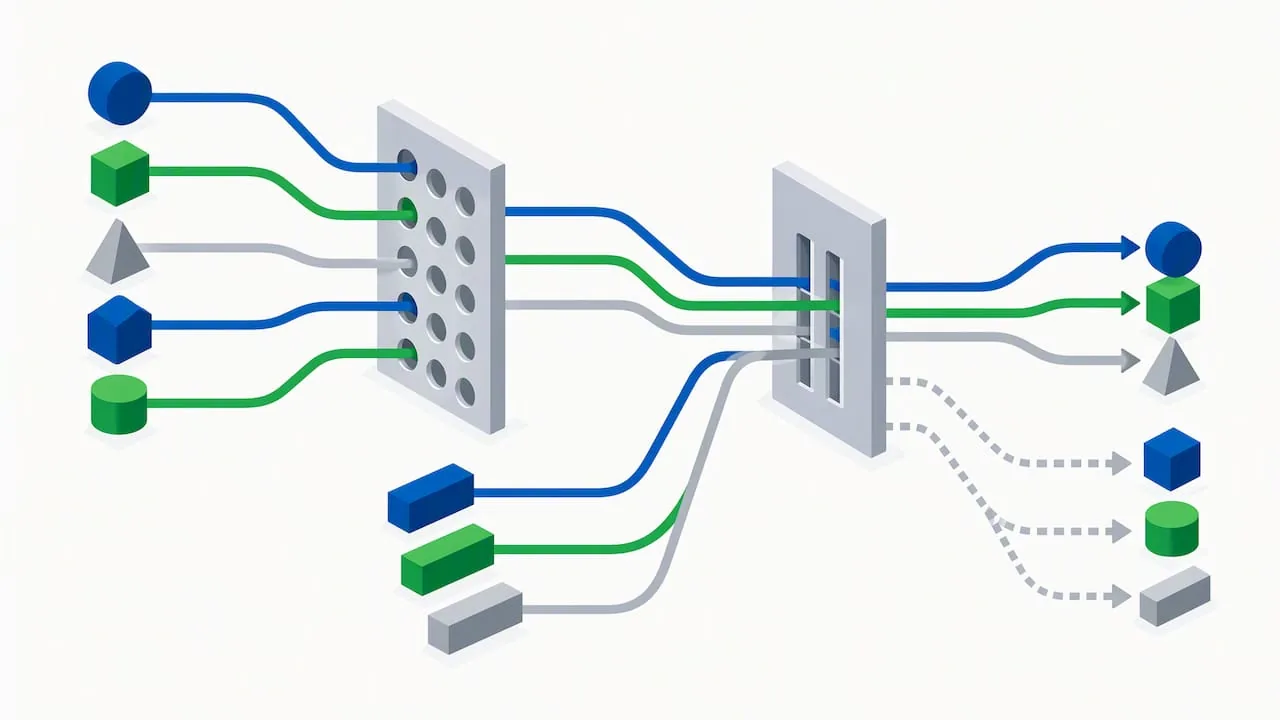
Pro Tip: Build one saved regex per service line (for example, matching “plumber,” “plumbing repair,” and “emergency plumber” together) so you can re-run the same cannibalization check monthly without rebuilding the filter.
A few signals are worth treating as red flags rather than curiosities:
- The same query shows impressions split across several URLs with no single page pulling ahead.
- Search Console’s URL ownership for a query changes from month to month, meaning Google itself seems undecided which page to rank.
- A page that should be your strongest performer for a term has a low click-through rate relative to its position, suggesting a different page is absorbing the clicks.
Corroborate what Search Console shows with a few outside checks: run a site: search for the query to see how many of your own URLs appear, audit your internal links to see which page you’re actually pointing visitors and link equity toward, and check your Business Profile for completeness and category accuracy, since gaps there can make Google less confident about which page represents the business for that query.
Audit checklist: what to collect and what counts as a red flag
Before changing anything, build a clear inventory. This keeps you from merging pages that look redundant but actually serve different jobs.
- List every URL that targets a local or service keyword, along with its primary target term.
- Note the intended audience or funnel stage for each page (a city-specific landing page serving a different neighborhood is not automatically redundant with your main service page).
- Record whether each page is linked from your Business Profile, and whether that link is current.
- Pull Search Console impressions, clicks, and average position for each URL against its primary keyword.
- Pull Analytics landing-page data for conversions and goal completions tied to each URL.
Once that inventory exists, a handful of signals tell you where to focus first:
- Several URLs showing meaningful impressions for the identical query, a core sign flagged in Search Engine Land’s cannibalization guide.
- URL ownership in Search Console that shifts between pages month over month.
- A page ranking in a strong position but converting at a rate well below your other local pages.
- Identical or near-identical title tags and meta descriptions across multiple pages targeting the same term.
The exports worth keeping on hand are a Search Console query-to-pages CSV for each priority term, an Analytics landing-page report filtered to organic traffic, a list of referring domains per URL from your backlink tool, and a Business Profile insights export showing which listing is driving calls and direction requests. Together these tell you not just which pages overlap, but which one is actually doing the work worth preserving.
Choosing the right fix: merge, canonical, rewrite, or noindex
Once the audit shows real overlap, the fix depends on whether the pages serve the same intent or different ones.
- Merge and 301-redirect when two pages genuinely target the same query and audience. Pick the URL that best fits your business goal, fold in any unique content from the weaker page, and redirect the rest to it. This consolidates link equity and historical signals onto one URL, a pattern Search Engine Land recommends as the default for true duplicates.
- Use a canonical tag when near-duplicate pages need to stay live for users (for example, a filtered or parameterized version of a service page) but shouldn’t compete separately in search.
- Rewrite and differentiate when pages actually serve distinct audiences or funnel stages, such as a general service page versus a page built for commercial clients in that same service line. Sharpen each page’s angle instead of merging them.
- Noindex for supplemental pages that need to remain accessible on the site, such as an old promotional landing page kept for internal reference, but that shouldn’t show up in search results at all.
Pro Tip: Before redirecting anything, check whether the “losing” page has backlinks or conversions the winning page lacks. If it does, that’s a reason to migrate that value, not to delete the page outright.
Whichever path you choose, update your internal links, sitemap, and any Business Profile links to point to the surviving URL. Then watch impressions, clicks, click-through rate, and conversions on the consolidated page over the following weeks to confirm the change is working as intended.
Tracking results after you make changes
Give any fix time before judging it. A redirect or rewrite can take time to propagate through Google’s index, and short-term swings are normal.
Track these metrics on the surviving URL:
- Impressions and clicks, compared against the combined totals of the old pages before the change.
- Average position for the target query.
- Click-through rate, which should improve once signals stop splitting.
- Conversions or leads attributed to that page in Analytics.
- Business Profile impressions and review volume, if the page is tied to a specific location.
Check URL ownership in Search Console’s Pages tab again a few weeks after a redirect or canonical change, to confirm Google has settled on the surviving URL rather than still showing both. A reasonable cadence is to check regularly at first, then conduct fuller reviews as changes take effect. Keep in mind that Search Console aggregates and sometimes omits anonymized queries, as noted in Google’s own Performance report documentation, so small fluctuations in low-volume queries aren’t necessarily meaningful. If visibility still hasn’t consolidated after allowing time for the changes to take effect, revisit your Business Profile category, service area, and citation consistency before assuming the page-level fix failed.
Common pitfalls to avoid
A few mistakes tend to undo otherwise solid remediation work:
- Deleting or noindexing a page without checking whether it holds backlinks or conversions worth preserving first, which Search Engine Land’s guide flags as a frequent misstep.
- Treating Search Console data as complete; anonymized and aggregated queries can hide tail-keyword overlap entirely.
- Assuming consolidation alone fixes map-pack rankings. Local prominence depends on Business Profile and citation consistency too, not just your site architecture.
- Leaving broken internal links pointing to redirected URLs, which creates a fresh crawl problem right after you solved the old one.
An entity-first view of preventing cannibalization
Most cannibalization advice treats it as a page-matching exercise: find the duplicates, pick a winner, redirect the rest. That solves the symptom. The more durable fix is mapping every page back to a consistent set of entity attributes, the same business name, service categories, and service area that your Business Profile and citations already state, so new pages get planned against that structure instead of drifting into overlap months later.
In practice that means building a keyword-to-entity map before publishing new local pages, auditing Business Profile and citation consistency alongside any redirect plan, and prioritizing fixes by business impact rather than by raw keyword overlap. Pages built this way are harder to accidentally duplicate in the first place.
, NSYGHT
How we can help you fix and prevent this
If running this audit across dozens of local pages sounds like more hours than your week has, our SEO services cover exactly this work: a full site and Search Console audit, a prioritized consolidation plan, and implementation of the redirects, canonicals, or rewrites your pages actually need. For businesses where the local pack is the real goal, our Google Business Profile management service aligns your listing with the website changes so the fix shows up where customers are searching.

A typical engagement starts with the audit, moves into prioritized fixes ranked by business impact, and closes with monitoring as the changes take effect so you can see the consolidation working. Reach out through our SEO services page to start with an audit of your local pages.
FAQ
What does keyword cannibalization mean?
Keyword cannibalization occurs when two or more pages on the same website target the same search query and intent, forcing Google to choose one to rank instead of concentrating signals on a single strong page. It often shows up as inconsistent rankings or impressions split across multiple URLs for the identical term.
How do I fix keyword cannibalization?
Start by confirming the overlap in Search Console’s Performance report, using the Queries tab to find the term and the Pages tab to see which URLs received impressions for it. From there, merge and redirect pages that share the same intent, use a canonical tag for near-duplicates that must stay live, or rewrite pages that actually serve distinct audiences, as outlined in Search Engine Land’s guide.
Does local SEO still work?
Local SEO remains an effective way to earn visibility in map results and local organic listings, since Google continues to rank local results using relevance, distance, and prominence, as described in its own local ranking guidance. It works best when your website architecture and your Business Profile data stay consistent with each other.
What is the 80/20 rule in SEO?
Prioritizing fixes and content on your highest-impact pages can be more useful than spreading effort evenly. Which pages matter most varies by site, so use your own Search Console data to guide priorities.
How can I tell if two local pages are truly competing?
Check Search Console’s Pages tab for the query in question. If both URLs show meaningful impressions for the same term over the same weeks, and neither clearly outranks the other, they’re likely competing rather than serving genuinely separate intents.