


Local on-page SEO is the set of page-level signals that tie your site’s content and technical setup to a searcher’s location intent. Start with four fixes: build or tighten a dedicated location page, write title tags and meta descriptions with local terms, show your phone number and hours above the fold, and link your Google Business Profile to that exact page. Then fix mobile speed. We walk through each step below, plus how to measure it.
TL;DR:
- A single storefront needs one page; each branch needs its own, while service area businesses should use service area pages rather than imply a storefront.
- Every location page should use a distinct service and place heading, real branch photos, local reviews, exact hours, and services actually offered there.
- LocalBusiness structured data should include the address, phone, coordinates, opening hours, and profile links, then pass Google’s Rich Results Test before publication.
- Google’s good threshold must cover 75% of visits for each metric, and INP from 200 to 500 milliseconds needs improvement.
- Search Console reveals location pages with high impressions and low click rates; revise their titles or descriptions, and review speed and profile metrics monthly.
Table of Contents
- What should you fix first on your local pages?
- How do you build a location landing page that ranks and converts?
- How should you write titles, descriptions, URLs and schema for local intent?
- How do Google Business Profile and NAP consistency tie into your page?
- Why do mobile speed and Core Web Vitals matter for local pages?
- What local content and reputation signals set your pages apart?
- How should you structure internal links for local visibility?
- How do you measure results and keep monitoring them?
- How do we apply entity-driven on-page work at NSYGHT?
- Why a short checklist beats a long one
- Get a second set of eyes on your location pages
- FAQ
- Sources
What should you fix first on your local pages?
Work in order of impact and effort. The quick wins take an afternoon. The structural work takes a few weeks. The monitoring never stops, but it gets easier once the first two tiers are done.
Quick wins to ship this week:
- Put your phone number, hours and a booking or call button above the fold on mobile.
- Rewrite title tags and meta descriptions with a service plus a city or neighborhood.
- Check that your address and phone number read the same everywhere on the page.
Then work through these in sequence:
- Build or improve one dedicated page per location, and link it from your Google Business Profile and your site navigation.
- Make the layout mobile-first, then address Core Web Vitals on those pages.
- Add LocalBusiness structured data, and fix broken links and canonical conflicts.
- Collect reviews, embed them on the page, and publish neighborhood content.
- Review performance on a set schedule so you catch drops early.
If you want a longer version of this list to hand to a developer or an assistant, our local SEO checklist breaks the work into 40 items across eight categories.
How do you build a location landing page that ranks and converts?
Location pages help multi-location brands by matching geographic and service terms, proving proximity to searchers and supporting organic rankings. They convert better when they include contact details, photos, reviews and locally relevant content. First decide which pattern fits your business. A single storefront needs one strong page. A multi-branch company needs one page per branch. A service-area business that visits customers at their homes usually does better with service-area pages than with a fake storefront. Moz’s guide to local landing pages explains each pattern and when to use it, though it dates from 2014, so treat its tactics as background and its logic as the useful part.
Every location page should carry:
- A unique H1 that names the service and the place.
- The exact postal address, matching your Business Profile.
- A click-to-call phone number, plus regular and special hours.
- An embedded map and directions link.
- A list of the services offered at that specific location.
- Real photos of the building, team and work, not stock images.
- Local reviews and testimonials tied to that branch.
Point the website field of your Google Business Profile at this page, and keep the copy distinct from your other locations. Swapping only the city name in a template is a quick way to create pages that add nothing.
Pro Tip: Add trust content only a real local business has: a quote from a nearby customer, a local news mention, a community event you sponsored, or what you currently have in stock.
How should you write titles, descriptions, URLs and schema for local intent?
Metadata is where a page tells both searchers and engines what it is about. Keep it specific and different on every location page.
- Title tags: Pair a primary service with a place, put the most important words first, and keep the whole title short enough that it does not get cut off. Avoid one template repeated across every branch.
- Meta descriptions: Describe the services and the location, and end with a reason to click, such as a call or booking prompt. They may not be a ranking factor, but a clearer snippet earns more clicks.
- URLs: Use readable slugs with the place where it fits, such as /services/roofing/austin. Set canonical tags on duplicate templates and avoid query-parameter versions of the same page.
- Headings: One H1 per page, with H2s that answer the questions locals actually ask.
- Structured data: Add LocalBusiness schema with address, telephone, geo coordinates, opening hours and sameAs links to your profiles. Validate the JSON-LD in Google’s Rich Results Test before you publish.
Structured data can help search engines understand your pages, including in knowledge panels and AI answers, which is why we treat it as core work rather than a nice extra.
How do Google Business Profile and NAP consistency tie into your page?
Google says local results are based mainly on relevance, distance and prominence. It also advises completing your profile, keeping information accurate, replying to reviews, and using photos and attributes. Your page is the other half of that equation, so the two have to agree.
- Use the exact URL. Set the Business Profile website field to the specific location page, not the homepage, wherever the platform allows it.
- Keep NAP identical. Name, address and phone should match across the page, the profile and major citations. Small variations, such as “Suite” versus “Ste”, create doubt for engines and customers.
- Show reviews on the page. Pair third-party review snippets with first-party testimonials from that location, and reply to reviews publicly.
- Mirror attributes and services. The services and attributes in your profile should reflect what the page actually describes.
If you would rather hand this off, we run Google Business Profile management for local service businesses.
Why do mobile speed and Core Web Vitals matter for local pages?
Local searchers are often standing outside, in a car, or comparing options right now. A slow page loses them. To meet Google’s standard, 75% of page visits must reach the “good” threshold on each metric. For responsiveness, INP should be 200 milliseconds or less, and values between 200 and 500 milliseconds need improvement.
Some businesses have seen mobile conversion rates rise 80 to 100% after optimizing these metrics. Treat that as a reported outcome from some cases, not a promise.
Fix the above-the-fold experience first:
- Load the phone number, map and main button before decorative elements.
- Prioritize the LCP resource, usually the hero image, as Web.
- Set explicit width and height on images and embeds to prevent layout shift.
- Put a CDN in front of the site to reduce server response time.
For speed work on the rest of the site, this guide on what to measure and what to fix is a useful companion. Search Console’s Core Web Vitals report groups pages into URL groups, which helps you find a template issue that affects every location page at once. For field data on INP, add a real-user monitoring setup with the web-vitals library.
What local content and reputation signals set your pages apart?
Location pages win non-branded searches when they answer what locals ask in the words locals use. Target combinations of service and place, then answer the visitor’s likely questions right on the page: service area, pricing ranges you are comfortable stating, parking, wait times.
- Publish neighborhood guides, event pages and partnership write-ups that only your branch could produce.
- Embed local reviews, short video testimonials and, where it fits, a photo of a handwritten note from a customer.
- Rewrite at least the top content block and the reviews for each location instead of repeating identical service copy.
- Add review widgets that stay fast on phones. This piece on mobile popup design and tap targets covers how to keep embedded elements from hurting Core Web Vitals.
Pro Tip: Ask every happy customer for a review soon after the visit, and mention the service and neighborhood in your request. Reviews that name both give the page natural local language you could not write yourself.
How should you structure internal links for local visibility?
Crawlers and customers both need a clear path to each location page. For a multi-location site, use a predictable hierarchy: homepage, then services or category, then location pages. A single-location site can stay flat.
- Link from the main navigation only to a few priority locations. For the rest, use a city or service index page so the menu does not bloat.
- Link to location pages from related service pages and blog posts using natural anchor text such as “roof repair in Round Rock.”
- Vary the anchors. Repeating the same exact phrase everywhere looks forced.
Our write-up on what local SEO takes now shows how these signals fit with AI-driven search.
How do you measure results and keep monitoring them?
A simple routine beats an elaborate dashboard you never open. Per Google’s own measurement guidance, combine real-user data with lab tools: Search Console for per-page history, PageSpeed Insights, CrUX, and the web-vitals library for RUM.
- In Google Search Console, find which location pages earn impressions and queries. Pages with many impressions and a low click rate need a better title or description.
- Check Core Web Vitals monthly in Search Console and PageSpeed Insights, and add RUM and CrUX data for field-level INP and LCP context. INP is best analyzed with field data.
- Track Business Profile views, searches and actions, plus review volume, and compare profile actions with page conversions to show return on the work.
- Set a cadence: monthly for speed and profile checks, weekly or every other week for reviews and on-site content updates.
How do we apply entity-driven on-page work at NSYGHT?
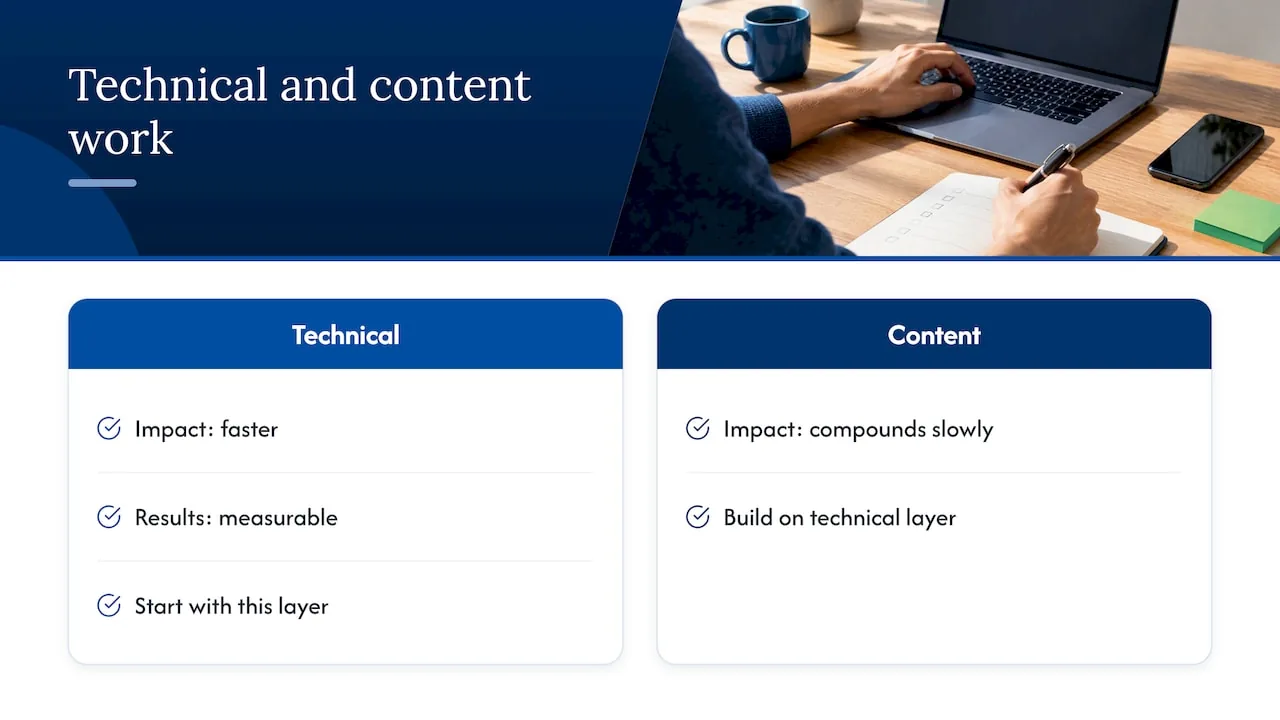
We treat each location page as one piece of a larger picture: who you are, where you operate and what you do, stated the same way on your site, your profile and the sources engines trust. That means aligning technical page signals, entity architecture, generative engine optimization and answer engine optimization so you are easy to find in classic results and in AI answers. The trade-off is simple. Technical fixes are faster and measurable, while content work compounds more slowly. We usually start with the technical layer, then build content on top of it.
Why a short checklist beats a long one
Our view is that most local pages lose to clutter, not to missing tricks. The conventional advice is a detailed audit, and we have written one ourselves, but a long list encourages people to polish low-value items while the phone number sits below the fold. What the research here supports is narrower. Google’s own guidance centers on relevance, distance and prominence, so your page should prove relevance with specific services and place language, make contact effortless, and back up prominence with real reviews.
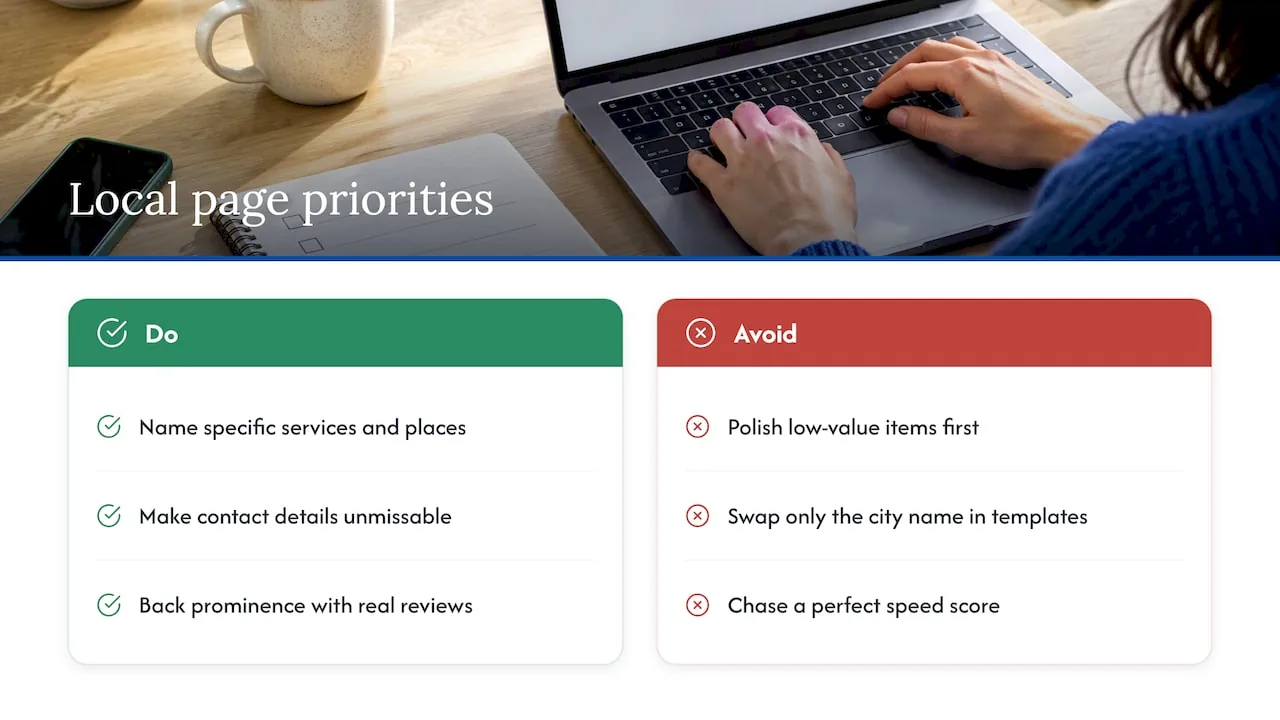
Be skeptical of keyword-swapped city pages. They are cheap to produce and easy to recognize, and a page with real photos, a real hours block and honest reviews usually has more to offer a searcher than templated ones. Speed work is the other overrated and underrated item at once: chasing a perfect score is wasteful, but getting the first screen of a mobile page to load quickly and respond promptly is worth doing early.
So start with one page. Make the contact details unmissable, align it with your profile, fix the first-screen speed, and only then scale the template to other locations.
, NSYGHT
Get a second set of eyes on your location pages
We can take this checklist off your plate. Our SEO plans include GBP Management, SEO Foundation, SEO Growth and SEO Premium, and our SEO-native website design puts the phone number, map and call button where mobile visitors need them.

- GBP Management to align your profile with your location page.
- SEO Foundation and SEO Growth for metadata, schema and technical fixes.
- Website design built around above-the-fold conversion and Core Web Vitals.
Request a location-page audit or a Business Profile review through our services page, and we will tell you what to fix first. Current pricing details for the SEO plans are on our website.
FAQ
What is on-page SEO?
On-page SEO is the work you do on the pages of your own site so search engines and visitors understand what each page offers. It covers content, title tags, headings, URLs, internal links, structured data and page experience.
How can we do local SEO?
Start with an accurate, complete Google Business Profile, then build a dedicated page for each location with matching contact details. Google says local results depend on relevance, distance and prominence, so reviews, photos and consistent information all help.
What are the four pillars of SEO?
There is no official list, but a common version is technical SEO, on-page content, off-page authority and, for local businesses, local signals like your profile and reviews. Definitions vary, so check how any source you follow draws the lines.
How do you check whether a URL is SEO friendly?
Look for a short, readable slug that describes the page and includes the place when it fits, with no stray parameters or duplicate versions. Confirm that one canonical URL is set and that the page appears in Search Console without errors.
Sources
- Support
- Location Page SEO: Rank Locally, Convert Visitors Fast
- Tips to improve your local ranking on Google - Google Business Profile Help