
SEO site architecture is the way pages, categories, and internal links are organized so search engines and visitors can find content efficiently. The single highest-priority move is keeping the structure shallow: every page that matters should sit within three or four clicks of the homepage, reachable through internal links that pass authority where it counts. Google Search Central and years of crawl data back this up, and it's the fastest lever most sites never pull.
- Most important pages should be within three to four clicks from the homepage to maximize crawl frequency and user accessibility.
- URLs must mirror the site hierarchy, and deep or orphan pages need re-linking or removal to improve crawl efficiency and rankings.
- Internal links should originate from high-authority pages with varied anchor text and be implemented in crawlable HTML for optimal authority transfer.
- Large sites require split sitemaps, descriptive URLs, and breadcrumbs to support crawling and reinforce the site’s topical structure.
- Conducting a detailed crawl and addressing orphan pages, URL inconsistencies, and deep content is more impactful than broad redesigns or superficial fixes.
What Is Site Architecture, Exactly?
Site architecture is the blueprint connecting your pages: how you group them into categories, how those categories nest into a hierarchy, and how internal links stitch the whole thing together. Get the taxonomy wrong and everything downstream (navigation, URLs, crawl efficiency) inherits the problem.
A few terms come up constantly in this work, and knowing them makes the rest of this guide easier to apply:
- Crawl depth: the number of clicks a page sits from the homepage.
- Orphan page: a page with zero internal links pointing to it, invisible to both users and crawlers navigating normally.
- Pillar or hub page: a broad, authoritative page on a core topic that links out to related subtopics.
- Cluster page: a narrower page that supports a pillar topic and links back to it.
- Link equity: the ranking value passed from one page to another through internal (or external) links.
URLs should mirror this hierarchy. A path like /services/seo/local-audits tells both users and Google exactly where a page lives in the site's logic. A path like /page-id-4471 tells them nothing.
Why Site Architecture Matters for SEO
Structure isn't decoration. It directly shapes crawl efficiency, how authority flows between pages, and whether Google understands what your site is actually about.
Crawlers have a limited crawl budget for any given site, and pages buried eight or nine clicks deep often get crawled fewer frequently, or not at all. Internal links are the primary mechanism for distributing link equity across a site, and strategic links from high-authority pages measurably improve ranking potential for the deeper pages they point to. Flatten the path, and you're not just helping bots. You're helping actual visitors find what they came for in fewer clicks, which shows up in lower bounce rates and longer sessions.
There's a topical layer too. Grouping related pages into clusters around a pillar page signals to Google that you have depth on a subject, not just a scattering of loosely related posts. That topical signal increasingly matters as AI-driven answer engines look for sites that demonstrate clear, structured expertise on a subject rather than shallow coverage spread across disconnected pages.
If you want a quick gut check on your architecture's health, pull a crawl report and sort pages by depth. Anything past click depth 4 with real traffic potential is a page fighting your own structure to get found.
Flat vs. Deep: Choosing the Right Architecture Model
Not every site needs the same shape. The right model depends on how many pages you have and how those pages relate to each other.
Flat architecture keeps everything within a few clicks of the homepage. It's widely considered the SEO gold standard: important pages should be reachable in four clicks or less, and many practitioners push for three. This works well for small to mid-sized sites, local service businesses, and anything without thousands of individual product or listing pages.
Hierarchical architecture organizes content into nested categories and subcategories, with URLs that reflect the nesting. It's the natural extension of flat architecture once you have enough content that a single flat layer would overwhelm a homepage menu.
Hub-and-spoke (also called topic clusters) puts a comprehensive pillar page at the center, with cluster pages on related subtopics linking back to it. This is the model most digital marketers reach for when trying to build topical authority in a competitive niche, since it concentrates link equity on the page you most want to rank.
Silo structures isolate distinct topic verticals from each other, minimizing cross-linking between unrelated sections. This suits sites with genuinely separate business lines, but it's easy to overdo. Rigid silos can starve otherwise-relevant pages of internal links simply because they sit in a different "bucket."
For large ecommerce or content-heavy sites, a strict three-click rule is often unrealistic once you're managing tens of thousands of SKUs. In that case, prioritize crawl priority over strict depth: make sure revenue-driving products and pillar content get direct links from the homepage or high-authority category pages, then supplement with contextual links elsewhere.
- Small brochure sites: flat architecture, minimal nesting.
- Content-heavy blogs or SaaS knowledge bases: hub-and-spoke around core topics.
- Multi-location service businesses: hierarchical by location, hub-and-spoke by service.
- Large ecommerce catalogs: hierarchical with crawl-priority linking for top sellers.
Internal Linking: How to Direct Authority Where It Counts
Internal links are the pipes that move authority through your site. Get the plumbing wrong, and your best pages starve while low-value pages hoard links they don't need.
Start by identifying your highest-authority pages, usually the homepage and any page with strong backlinks, and link deliberately from those pages to whatever you most want to rank. Avoid the common mistake of linking evenly to everything: a page that links to 200 other pages with equal weight dilutes whatever authority it had to begin with. Every outbound internal link is a vote, and votes spread too thin stop meaning anything.
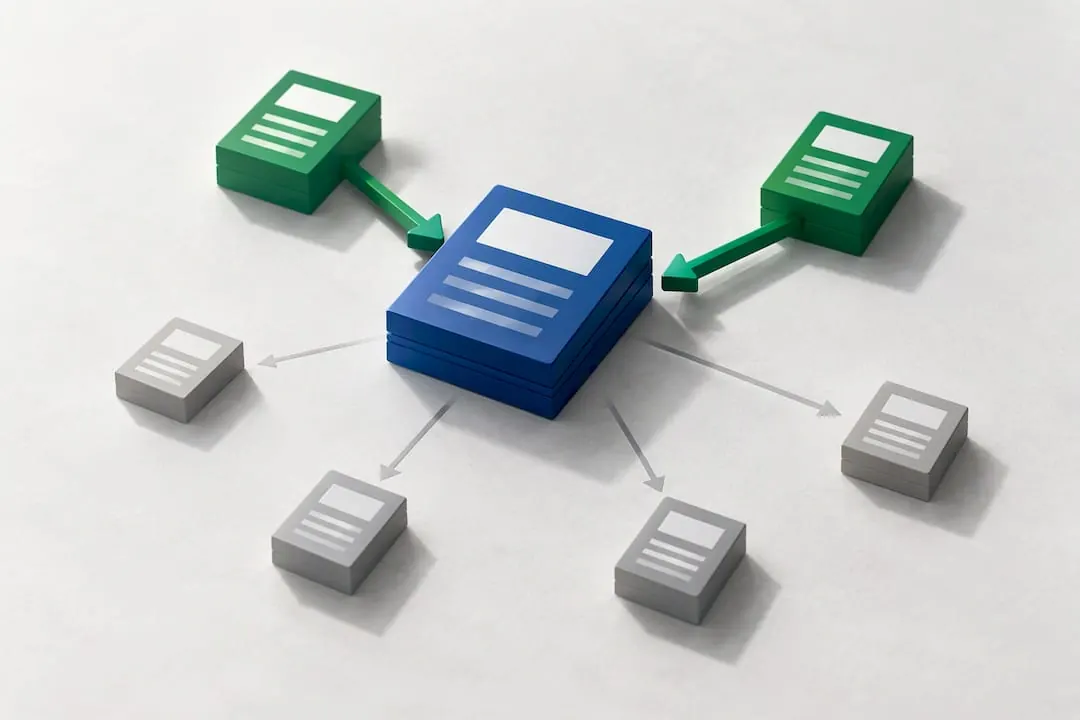
Anchor text matters, but subtlety wins here. Vary your phrasing naturally around a topic instead of repeating the exact target keyword in every link pointing at a page. Google's own systems flag overly uniform, exact-match anchor patterns as a manipulation signal, and it reads as spammy to actual readers too.
Primary navigation should always use real HTML links, not JavaScript-only click handlers or dropdowns rendered entirely client-side. If a crawler can't find an <a href> tag in your rendered HTML, that link might as well not exist for indexing purposes, even if a human clicking through a browser sees it fine.
- Link from high-authority pages (homepage, top category pages) to priority content.
- Vary anchor text across natural phrasings instead of repeating exact-match keywords.
- Keep primary navigation in crawlable HTML, tested with JavaScript disabled.
- Audit for link traps: menus or filters that generate links only after a user interaction a crawler can't perform.
Treat your pillar or cornerstone pages as the default landing spot for internal links from every related cluster page you publish. If you're not sure where a new post's internal links should point, the answer is almost always "back to the pillar," not sideways to another cluster page.
Navigation, URLs, and Sitemaps That Support Crawling
Menus, URLs, breadcrumbs, and sitemaps are where architecture becomes visible. Get these implementation details right and the underlying hierarchy actually functions the way you designed it.
Keep the header menu tight. Cramming every category and subcategory into a mega-menu creates a flat, unfocused link structure that undermines the very hierarchy you're trying to build. Push policy pages, legal disclosures, and other low-priority utility links into the footer instead, where they still get crawled without cluttering the primary navigation's signal.
URL structure deserves the same discipline. Short, descriptive paths that mirror your content hierarchy help both users and search engines understand where a page sits. Compare /blog/site-architecture-guide to /blog?p=4471&cat=9. The first tells you what you're about to read before you click; the second tells you nothing and breaks the moment someone shares it out of context. Avoid session parameters and tracking strings in canonical URLs entirely.
Breadcrumbs reinforce that same hierarchy visually and structurally. Adding BreadcrumbList structured data alongside a visible breadcrumb trail helps Google display that trail directly in search results, and it gives users an obvious path back up the hierarchy without hitting the back button.
XML sitemaps round out the safety net. Google explicitly recommends sitemaps and accessible navigation to help crawlers find and index content, especially on sites with a lot of pages or weak internal linking in places. Large sites should split sitemaps by section (products, blog, locations) rather than shipping one massive file, which makes indexing issues far easier to isolate later.
- Keep header navigation lean; move utility links to the footer.
- Write short, descriptive URLs that mirror category hierarchy, with no session parameters.
- Add BreadcrumbList schema alongside visible breadcrumb trails.
- Split XML sitemaps by section on large sites for easier diagnosis.
How Do You Run a Site Architecture Audit?
A structural audit doesn't require exotic tools, just a crawler, a spreadsheet, and a willingness to actually look at every page depth report instead of skimming the top ten results. Here's the sequence that surfaces the most common problems fastest.
- Crawl the entire site with a tool like Screaming Frog or Sitebulb and export the full click-depth distribution. A full crawl mapping page depth is the foundation every other audit step builds on.
- Flag pages sitting past three or four clicks from the homepage, especially anything with commercial intent or existing backlinks. These are candidates for re-linking, not necessarily for deletion.
- Find orphan pages by cross-referencing your crawl against your XML sitemap and analytics data. A page that gets traffic but has no internal links pointing to it is a page one navigation redesign away from disappearing entirely.
- Check URL consistency across the site: trailing slashes, uppercase versus lowercase paths, and duplicate parameter-driven URLs all fragment authority that should be consolidating on one canonical version.
- Verify canonical tags, pagination, and rel=prev/next markup where relevant, particularly on paginated category or blog archive pages that otherwise compete against themselves in search results.
- Confirm your sitemap, robots.txt, and breadcrumb schema are all live and error-free, and manually check that primary navigation renders as HTML links with JavaScript disabled.
Once the crawl is done, sort the findings into three buckets:
- Pages that need new internal links pointing to them from higher-authority pages.
- Pages that need consolidating, redirecting, or removing entirely because they add no unique value.
- Structural issues (broken breadcrumbs, missing sitemap sections, JavaScript-only menus) that need a developer ticket, not a content fix.
That triage is usually where the real prioritization happens: a handful of orphaned high-value pages will do more for rankings than fixing a hundred thin, low-traffic ones.
Common Architecture Mistakes That Quietly Cost Rankings
Most structural problems fall into a short list of repeat offenders, and the fixes are usually more straightforward than the diagnosis.
Orphan pages are the most common. The fix is either adding contextual internal links from relevant pages, or, if the page genuinely has no value, redirecting or removing it rather than letting it sit invisible and unindexed.
Inconsistent URL patterns (mixed trailing slashes, duplicate parameter variants, inconsistent casing) split authority across near-duplicate URLs. Standardize on one canonical pattern and apply 301 redirects from the variants.
JavaScript-only navigation hides links from crawlers that don't execute every script the way a browser does. Any link essential to discovering a page needs to exist as real HTML, full stop.
Overly deep product or category pages on large sites need intermediate hub pages, not just patience. A category landing page that links directly to your best subcategories does more for crawl priority than hoping the sitemap alone will carry the weight.
Tag and filter pages left unchecked spawn thousands of thin, near-duplicate URLs that dilute topical clarity. Consolidate overlapping tags or canonicalize them back to the parent category.
- Orphan pages: add internal links or remove/redirect if low-value.
- Inconsistent URLs: standardize the pattern and 301 the rest.
- JS-only navigation: rebuild essential links as crawlable HTML.
- Deep catalogs: add intermediate hub or category pages.
- Tag sprawl: consolidate or canonicalize thin tag pages.
Before you delete anything flagged as "low value," check its backlink profile first. A thin page with real external links pointing at it is often better redirected to a relevant hub than deleted outright.
The NSYGHT Approach: Entity-Driven Architecture for AI Search
Traditional site architecture optimizes for crawlers and human visitors. NSYGHT builds architecture around a third audience too: the AI systems now generating answers directly in search results. The NSYGHT stack combines technical SEO, Generative Engine Optimization, and Answer Engine Optimization so a business's structure doesn't just rank, it gets cited when an AI tool answers a user's question.
That entity-first lens matters most for businesses with complicated structures to untangle: multi-location franchises, healthcare groups with multiple providers and specialties, or any brand where Google (and increasingly ChatGPT or Perplexity) has to work out which page represents which real-world entity.
If your site's structure feels like it's fighting you rather than helping you, an architecture audit is the logical next step before any other SEO work.
An Editorial Take: What Most Site Architecture Advice Gets Backwards
Most guides treat site architecture as a one-time diagram exercise: draw the hierarchy, ship it, move on. That's backwards. Architecture is a living constraint that every new page either respects or quietly erodes, and the erosion is what actually kills rankings over time, not the original design.
The conventional wisdom also overindexes on click-depth rules as if they're universal law. The four-click guideline is a useful heuristic, not a mandate, and rigidly forcing it on a 50,000-page catalog site wastes effort that should go toward crawl-priority linking instead.
What the reader should actually prioritize first: audit before you redesign. Most sites don't need a new architecture. They need someone to find the orphan pages, fix the inconsistent URLs, and re-link three or four buried pages that already have the content and backlinks to rank. That's a week of focused work, not a quarter-long rebuild, and it's the part almost everyone skips in favor of a prettier sitemap diagram.
Get an Architecture Audit Before Your Next Redesign
Most agencies will hand you a generic technical SEO report. NSYGHT builds the audit around your specific entity graph, mapping how your locations, services, and content actually connect, then fixes the structure so both Google and AI answer engines can find and cite the right pages.

An initial audit typically covers a full site map, a prioritized list of structural fixes (orphan pages, click-depth problems, broken breadcrumb schema), and an honest estimate of the effort each fix requires. From there, ongoing work usually falls under SEO Foundation, SEO Growth, or SEO Premium, depending on how much rebuilding your site needs. Multi-location businesses often pair that with Google Business Profile management to keep local pack visibility aligned with the new structure, and anyone planning a full rebuild should look at SEO-native website design instead of bolting fixes onto an outdated template.
Start with the SEO services page and request an audit to see exactly what's holding your architecture back.
Sources
- Site Architecture: Creating a website structure that ranks
- What is link equity? - Moz
- Google Search Central, Sitemaps: About sitemaps
Frequently Asked Questions
Site architecture in SEO is how a website's pages are organized into categories, hierarchies, and internal links so both search engines and visitors can find content efficiently. Strong architecture keeps important pages within a few clicks of the homepage and groups related content into topic clusters that reinforce each other.
For most sites, a flat or hub-and-spoke structure works best, keeping priority pages reachable in four clicks or less from the homepage. Large ecommerce or content-heavy sites often need a hierarchical model instead, with crawl priority given to revenue-driving pages through direct internal links.
Start with a full crawl to map click depth and find orphan pages, then re-link any high-value page buried too deep in the structure. Fixing internal linking and URL consistency usually delivers faster results than adding new content, since it helps existing pages pass authority more efficiently.
Site structure affects crawl efficiency, how link equity moves between pages, and how clearly Google understands your topical focus. A page buried nine clicks deep with no internal links pointing to it often gets crawled rarely and ranks poorly, regardless of how good the content is.
Yes. NSYGHT runs full architecture audits as part of its SEO services, covering crawl-depth mapping, orphan page discovery, and prioritized structural fixes. Pricing for ongoing SEO plans is available directly on the services page.