
You can appeal a suspended Google Business Profile right now if the profile hasn't been permanently removed. Sign into the Google Account that manages the listing, open the Google Business Profile appeals tool, and confirm eligibility before touching anything else. Don't create a duplicate listing or make sweeping edits while you wait. Gather your evidence first, since the upload window closes after 60 minutes, and expect a decision within up to five business days [support.google.com/].
- Gathering accurate and matching legal or official documents is crucial, as mismatched or outdated evidence will lead to immediate rejection of the appeal.
- Appealing with incomplete or illegible paperwork prolongs the review process and often results in a denial, requiring a repeat of the effort.
- Avoid creating duplicate profiles or making sweeping changes during the appeal window, since such actions reset review timelines or complicate reinstatement.
- Account-level restrictions, such as a suspended Google account, must be resolved before submitting a listing appeal to prevent wasted effort.
- A permanent suspension typically involves repeated violations or fraudulent behavior, making reactivation unlikely, while temporary suspensions usually result from fixable policy breaches.
Audit the Profile Before You File a Google Business Profile Suspension Appeal
Google's appeals notice usually links to the specific policy your profile violated. Read that link before you do anything else. Appealing without knowing the exact reason for the suspension is the single most common way owners get denied twice for the same mistake.
Walk through your profile against the triggers that account for most enforcement actions:
- A business name stuffed with keywords or a service area instead of the actual legal name
- A P.O. Box, UPS box, or virtual-office address listed as the physical location
- Inconsistent name, address, or phone number (NAP) across your website and other directories
- Multiple listings tied to the same address or suite number
- A burst of edits made in a short window, which reads as spam behavior to Google's systems
- Banned categories or content that don't match a real, operating business
Also check whether the suspension sits at the account level rather than just the listing level. A suspended or disabled Google Account can take every profile it manages down with it, and no amount of listing corrections will fix that. If a manager account got flagged, resolve that issue first. Appealing the profile while the account itself is restricted is wasted effort.
Gather the Evidence Google Actually Accepts
Google doesn't want a story. It wants documents that prove your business exists at the address on the listing, under the exact name you've registered it under.
Acceptable evidence typically includes:
- Official business registration or incorporation paperwork
- A current business license
- Tax certificates showing the business name and address
- Utility bills (electric, phone, water, or internet) issued to the business
The name and address on every document need to match the profile exactly. A missing suite number or an old legal entity name is enough to sink an otherwise solid appeal. Have PDFs or clear photo scans ready before you open the evidence uploader, because that form only stays active for 60 minutes once you start it. Write a short, factual narrative explaining what was wrong and what you corrected. Skip the emotional appeal; Google's reviewers are reading for facts.
Build your evidence folder before you touch the Appeals tool. Name each file clearly ("business_license_2026.pdf," "utility_march.pdf"), redact account numbers or unrelated personal data, and keep file sizes reasonable so nothing times out mid upload.
How Do You Submit a Google Business Profile Appeal?
The mechanics matter as much as the paperwork. Get them wrong and you'll be waiting on a decision for a problem you never actually fixed.
- Sign in with the Google Account that manages the suspended profile, not a personal or unrelated account.
- Open the Appeals tool, select the correct profile, and read the stated suspension reason carefully.
- If the tool shows an appeal option, click "Submit appeal," attach your prepared evidence within the 60-minute window, and write a concise explanation in the narrative box.
- Confirm the submission went through and record the appeal ID or confirmation email.
One appeal per issue. Filing a second appeal while the first is pending doesn't speed anything up. It usually resets the clock, and Google explicitly discourages creating a duplicate profile while a review is active.
What's the Timeline for a Suspended Profile Review?
Google's own guidance sets the review window at up to five business days once an appeal is submitted. That's a ceiling, not a guarantee. Some straightforward cases clear faster; multi-location suspensions or account-level restrictions tend to run closer to the full window.
Check status directly in the Appeals tool and in your Google Business Profile manager. Watch your inbox too. Google sends email updates tied to the account that filed the appeal, and those notices sometimes land before the dashboard status changes.
A few habits slow the process down:
- Filing repeated appeals for the same suspension
- Creating a second profile "just in case" while the first is under review
- Leaving an account-level restriction unresolved while appealing the listing
Fast fact: the five-business-day window applies per appeal, so every duplicate filing or account issue you leave unresolved effectively restarts that clock.
Your Appeal Was Denied. Now What?
A denial isn't the end of the process. Google's appeals system allows for additional review with supplementary evidence that wasn't part of your original submission.
Before you refile, figure out why the first attempt failed:
- Documents that didn't match the profile's name or address field for field
- A policy violation that was never actually corrected on the live profile
- Evidence that was incomplete, illegible, or missing a required document type
Fix the underlying issue first, then document it. Take dated screenshots of the corrected profile, save updated licenses or registration paperwork, and note the date you made each change. That timestamp trail is what turns a second appeal from "we tried again" into "here's proof it's fixed."
Your Profile Is Back. Here's How to Keep It That Way
Reinstatement isn't the finish line. Walk through every field on the profile again: business name, address, hours, categories, and photos. Confirm nothing reverted during the suspension and that your manager account is in good standing.
A few governance habits go a long way here:
- Set a scheduled change window instead of editing fields on impulse
- Limit manager and owner access to people who actually need it
- Keep your verification documents and evidence bundle on file, not scattered across email threads
Treat your Business Profile like a compliance record, not just a listing. Every edit should have a reason you could explain to a Google reviewer if asked.
Long term, avoid the habits that got you suspended in the first place. Don't stuff keywords into the business name field. Never list a P.O. Box as a physical address. Keep your name, address, and phone number identical across your website, directories, and social profiles.
NSYGHT's Approach to Reducing Suspension Risk
Entity-driven SEO treats your Business Profile as one piece of a larger identity puzzle, connected to your website, your citations, and every directory listing that references your business. When those pieces don't match, Google's verification systems flag the mismatch, and that's often the quiet root cause behind a suspension that looked random.
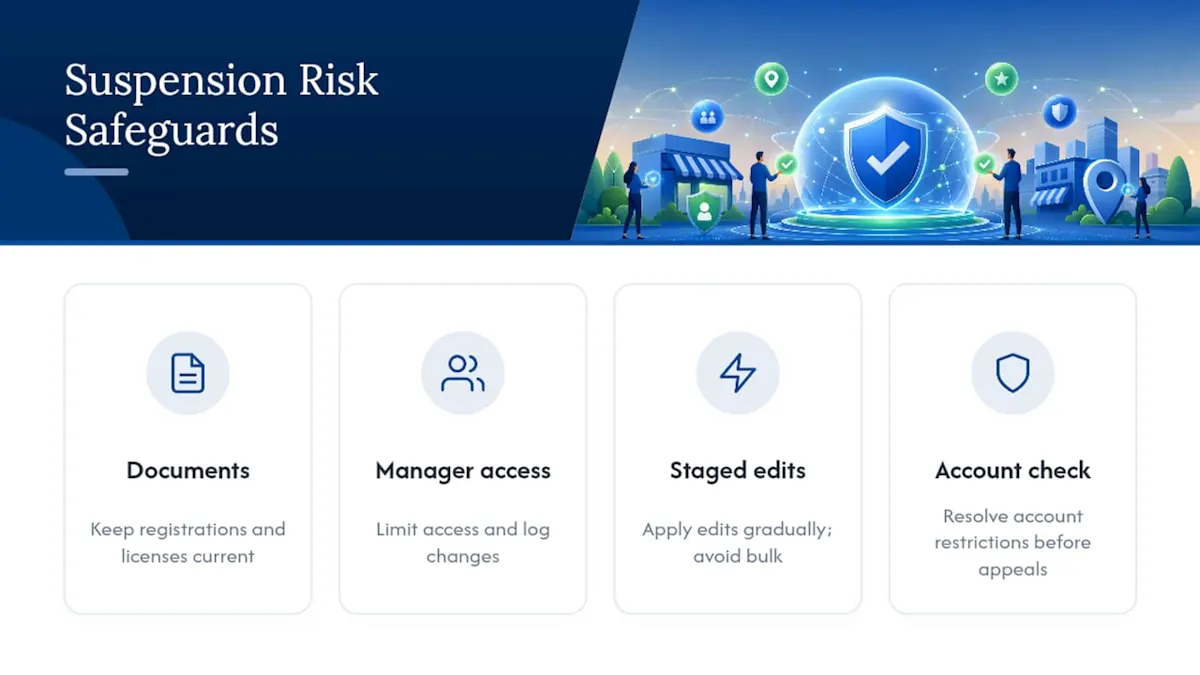
The operational fix isn't glamorous. It's document readiness (registration, license, and utility records kept current and accessible), manager account governance (limited access, logged changes), and staged edits instead of bulk changes that trigger spam detection. For businesses managing more than one location, resolving account-level restrictions before appealing each listing individually saves weeks, not days.
None of this replaces Google's own process. It just means fewer surprises land on your desk in the first place.
What Happens When Google Removes a Profile Entirely?
A suspension and a removal aren't the same thing. Suspension means the listing still exists but is hidden from search and Maps. Removal means Google has taken the profile down, and in some cases, that decision is final.
If your profile shows as removed rather than suspended, check the Appeals tool first. Some removed profiles still carry a limited appeal window, particularly if the removal followed a suspension that was never resolved. Others are gone for good, especially if the account itself was terminated for repeated policy violations.
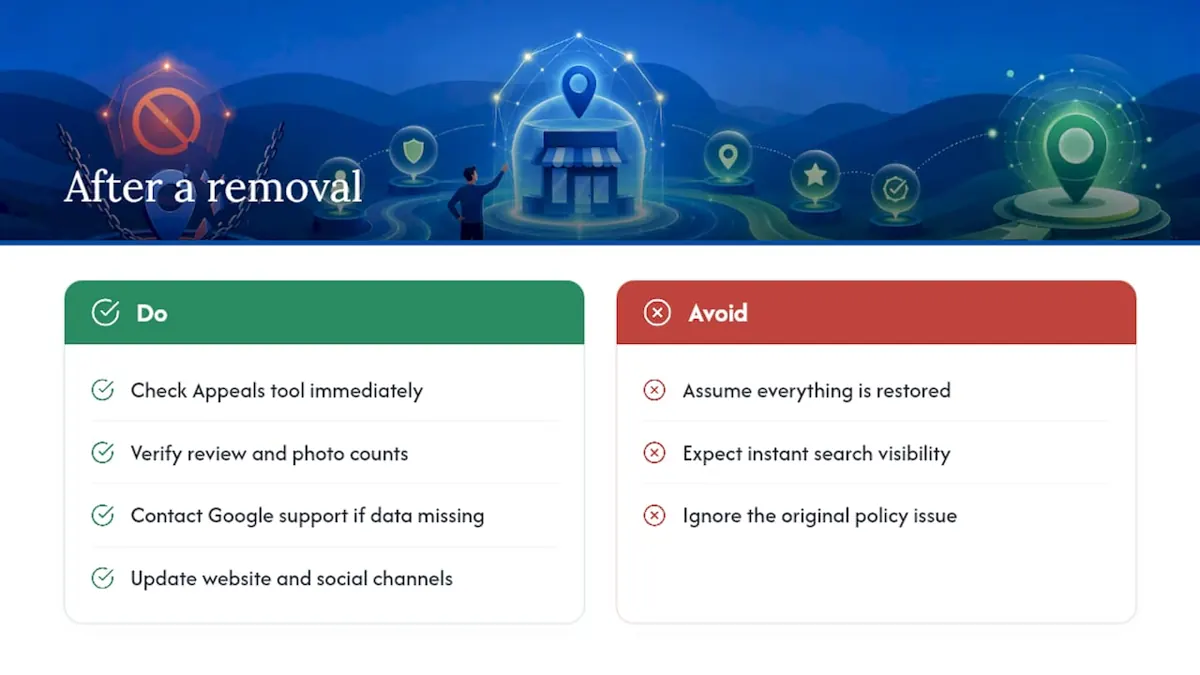
If reinstatement succeeds after a removal, don't assume everything picks back up automatically. Reviews, photos, and posts sometimes come back with gaps or delays. Check your review count against what you remember before the removal, and reach out through Google's support channels if historical reviews are missing.
Rebuilding after a removal also means rebuilding trust with your existing customer base. Update your website and social channels to confirm you're back online, and consider a short note to regular customers explaining the profile is active again. Search visibility can take days or weeks to fully recover even after Google restores the listing, since local ranking signals rebuild gradually rather than snapping back the moment a profile goes live again.
The lesson from a removal is usually the same one Google flagged the first time: whatever triggered the suspension went unaddressed long enough to escalate.
Temporary vs. Permanent Suspension: Why the Difference Matters
A temporary suspension is Google flagging something specific and fixable, like a policy mismatch or an unverified address. The listing typically stays intact in the backend, and a successful appeal restores it with most of its history, including reviews and photos.
A permanent suspension is a different animal. It usually follows repeated violations, account-level bans, or issues Google considers serious enough that a single correction won't resolve them, things like fraudulent verification attempts or a pattern of fake reviews tied to the account. Appeals for permanent suspensions face a much steeper climb, and in some cases, Google won't offer a path back for that specific account or business entity.
The practical difference shows up in how you respond. For a temporary suspension, fix the flagged issue, gather your documents, and appeal promptly since these often resolve within the standard review window. For a suspected permanent suspension, the smarter move is often opening a new profile under strict compliance from day one, using a different but accurate representation of the business, rather than repeatedly appealing an account Google has already decided to exclude.
Knowing which category you're in changes your entire strategy. Owners who treat a permanent suspension like a temporary one waste weeks re-filing appeals that were never going to succeed, when that time would be better spent rebuilding a clean profile the right way.
How Suspension Hits Your Visibility and Reputation
The visibility hit is immediate. A suspended profile disappears from Google Maps, the local pack, and most Search results tied to your business name or category. Customers searching for you by name may still find your website, but anyone searching by service or location loses the primary channel that drives walk-ins and calls.
Reviews are the trickier part. Existing reviews usually stay attached to the profile even during suspension, but customers can't leave new ones, and you can't respond to existing feedback through the standard dashboard. That silence can look bad if a customer posted a complaint right before the suspension hit and never got a reply.
Manage the gap actively rather than waiting it out. Update your website with current hours and contact information so customers have a fallback. Post on social channels if you serve a local audience that checks in regularly. If a competitor's listing starts absorbing your search traffic during the suspension window, that's normal and temporary. It corrects itself once your profile is reinstated and search engines recrawl the area.
Don't let the suspension window turn into radio silence with your customer base. A short, honest note about "temporary listing issues" beats customers assuming you closed.
What This Guide Gets Right (and Where Most Advice Falls Short)
Most suspension guides treat the appeal itself as the hard part. It isn't. The Appeals tool is a form. The hard part is the audit that happens before you ever open it, and that's the step most owners skip because it feels like it's slowing them down.
Here's the uncomfortable truth: rushing an appeal without fixing the underlying violation is worse than waiting a day to do it right. A denied appeal doesn't just cost you time. It often resets your position in Google's review queue and makes the second attempt look less credible.
The conventional advice to "just submit the appeal and see what happens" ignores that Google's reviewers are pattern matching against thousands of similar cases. A profile with a keyword-stuffed name that got a fresh coat of paint but wasn't actually renamed will get flagged again, often faster than the first time.
Prioritize the boring stuff first: matching documents, a clean business name, a real address. The appeal itself should be the easiest part of this process, not the part you're gambling on.
Get Your Suspended Profile Reviewed and Managed by NSYGHT
An experienced agency is an alternative to guessing your way through Google's appeals process alone. Instead of piecing together documents at 11 p.m. hoping they match, NSYGHT audits your entire business identity, website, citations, and Business Profile fields, before you file anything, so the appeal you submit actually addresses what got flagged.

The service goes beyond a one-time fix. NSYGHT's Google Business Profile management covers ongoing governance: manager access controls, scheduled edit windows, and a documented evidence bundle kept current so a future suspension doesn't catch you unprepared. For businesses managing several locations, a centralized approach can cut the back-and-forth that usually stalls multi-location reinstatements.
If your profile is suspended right now, or you want a compliance check before something goes wrong, request an audit through NSYGHT's SEO services page and get a clear read on where your listing stands.
Sources
Google's own documentation remains the most reliable source for anything involving your profile's status. Start with Google's guide to fixing suspended or disabled profiles, which covers the appeals tool and the evidence upload requirements directly.
For the policy framework behind account-level restrictions, review the Google Business Profile policy overview. Search Engine Journal's reinstatement walkthrough adds practitioner context on common triggers. Google's community video on reinstatement walks through a real case end to end.
- Fix suspended or disabled profiles - Google Business Profile Help
Frequently Asked Questions
Google states a review typically takes up to five business days, though account-level issues or multi-location cases can run closer to the full window.
Business registration papers, a business license, tax certificates, or utility bills all qualify, as long as the name and address match your profile exactly.
No. Google explicitly advises against creating a duplicate profile while an appeal is under review, since it can complicate or delay reinstatement.
A suspended profile is hidden but recoverable through appeal; a removed profile has been taken down and may only qualify for appeal in limited cases, particularly after account-level violations.
Review the denial reason, correct the underlying issue, document the fix with dates, and submit an additional review with new evidence rather than repeating the same appeal.
Yes. A managed service like NSYGHT's Google Business Profile management can audit the violation, prepare compliant evidence, and handle ongoing governance to prevent repeat suspensions.